Es’hail 2 25.5e

I purchased this LNB for 10.10.7 and I have a question will it work with diseqc and how to setup the receiver setting - to 9750 or ? Thanks !

Also want to know this ! Come on guys help out a newbie please !
 
DiSEqC has no affect on the incoming signal of the LNB to the receiver except to switch between one component and another (DiSEqC 1.0/1.1), or to move a dish with the correct motor (DiSEqC1.2/1.3)

The different incoming band is a simple case of subtracting the new local oscillator number from the received total, though by scanning with a blind search, you should get what is being transmitted in the channel list.
 
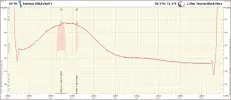
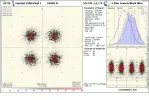
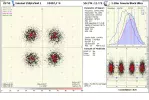
Today found an Active Frequency in the field of radio amateur.
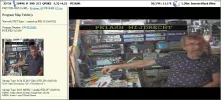
it is with a SR of 500 and there is a picture.
Picture is of course not optimal but at least you can see the radio amateur.

25°5E_1903281601.webp25°5E_1903281601_10480-10530 H.webp25°5E_10496_H.webp25°5E_10496_H_5944.webp
 
better and better
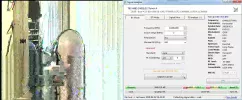
a video with a sr of 333
25°5E_10498_H.webpsr333.webp
 
If the symbol rates get lower they might have to go black and white.
 
10496,5 H 1000
sr 1000 DVB-S2 QPSK2 2/3
PE1ASH MIJDRECHT
TS.ts_20190401_164833.919.webp
 
TBS 5590
No chance, no CS support. There`s no chance to find out the scanning range. No scanning program supports it, yet.
This card deserves support as it can show so much!

TBS 5925
Start scanning frequency is from 10550.
View attachment 122866

TBS 6983
OK
View attachment 122867

TBS 6903
OK
View attachment 122868

TBS 6903x
OK, but there`s no CS support and because of that a false frequency appears.
BUT LOCKED after manually given all necessary parameters.
View attachment 122869

TBS 5927
OK
View attachment 122870

TBS 5520SE
OK, but it doesn`t show all necessary parameters. Lack of support - no blind scan support yet.
View attachment 122871

Prof 7301
No chance.
View attachment 122872

How are you getting CS to show below 10.7 ? I am lost !
 
A "video" with SR even lower.
This time sr 250
26.0E_748,010_H_250_(2019-04-02 14.40.29)_dump.ts_20190402_145037-horz.webp
 
the lowest sr is 33ks
 
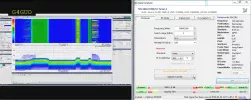
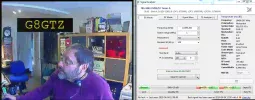
This morning two feeds found G4GUO and G8GTZ
498.webp499.webp
 
This evening with SR 250 is the picture quality
not that bad
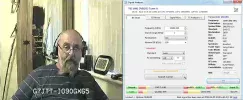
Here by radio amateur G7JTT
G7JTT-horz.webp
 
Could some kind person explain how we get CS to scan below 10700? I think me and quite a few others are having difficulty getting it to do this! I've already tried all the above mentioned changes to the streamreader & crazyscan ini's, none of them work for me! I'm using a TBS6903, which I believe is capable of scanning this low. Thanks in advance!
 
Could some kind person explain how we get CS to scan below 10700? I think me and quite a few others are having difficulty getting it to do this! I've already tried all the above mentioned changes to the streamreader & crazyscan ini's, none of them work for me! I'm using a TBS6903, which I believe is capable of scanning this low. Thanks in advance!

 
Thanks for the reply, but still doesn't work! When I enter a frequency below 10700, eg 10450, it just changes itself back to 10700. Tried with IQ Monitor too, it lets me enter a scan range of 10400 to 10700, but just get a flatline scan.
 
Could some kind person explain how we get CS to scan below 10700? I think me and quite a few others are having difficulty getting it to do this! I've already tried all the above mentioned changes to the streamreader & crazyscan ini's, none of them work for me! I'm using a TBS6903, which I believe is capable of scanning this low. Thanks in advance!
You don't need to change anything in CS ini. What are your start and end frequencies in your Interval tab in CS?
 
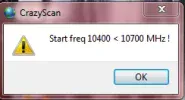
I try to get it to scan 10400 to 10700, but when i enter 10400 (or anything below 10700) it just resets itself to 10700. It just refuses to let me enter anything lower!
 
I have a version of CS that's just set up for Es’hail 2 25.5e - i tweeked CS .ini just for the hell of it to use just the bit of frequency span for the satellite but as Llew said you don't have to do that.
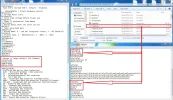
Your streamreader .ini for the version of CS you are using needs to look exactly like the picture, and is what Llew and others have eluded to in previous posts. Edit the lines and then 'save' when it prompts you apon exiting. This works for me ok.
..........................................................................................................................................................................................................................................................................................................

CS for Amsat.....webp
 
Thanks John, but still no go. I have everything edited as shown but i just get this when starting CS:
Capture.webp
Am I missing something obvious here?
 
Back
Top