new Bosnian package in T2MI

Status
Not open for further replies.

stephan94

Specialist Contributor
My Satellite Setup
1.80 Channel master 5 LNB KU KA C Band ,Dr HD D15
Openbox S3 HD II, SR 200 Extreme 4K; GTmedia V9 prime ; TBS 6983
My Location
Bavaria
11442H 17500
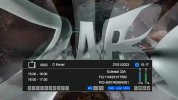
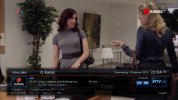
O Kanal
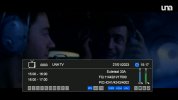
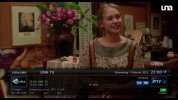
Una TV
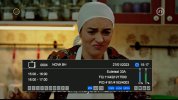
NOVA BH
BN TV
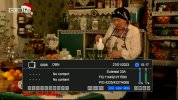
OBN
The E2 Receivers are not able to read the programmes automatically.
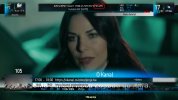
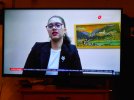
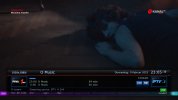
Encode_1080P_78.mp4_20230127_162015.245.jpgEncode_1080P_78.mp4_20230127_162028.477.jpgEncode_1080P_78.mp4_20230127_162035.740.jpgEncode_1080P_78.mp4_20230127_162042.005.jpgEncode_1080P_78.mp4_20230127_162045.981.jpg
 
33.1E_11442 H,17500,3/4,8PSK
No reception problems with this t2-mi in my area.
And yet it seems the signal is weak, considering that I am relatively close to the targeted area.
 

Attachments

  • 11442 H,17500,34,8psk-OBN_2023-01-27_19-25-26.png
    11442 H,17500,34,8psk-OBN_2023-01-27_19-25-26.png
    389.6 KB · Views: 43
I have to program this in my Dreambox DM920UHD manually, but I can't get it working.
Any help please?

What I've done:
-Scanned 11444H
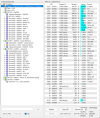
-Looked with TransEdit what the T2-MI PID is (4095)
TS analyser.png
-Put Enigma2 in stop mode (init 4)
-Edit lamedb:
Code:
transponders
014a2cb4:0190:0000
    s 11444000:17500000:0:3:330:2:0:1:2:0:0
/
end
services
0fa1:014a2cb4:0190:0000:1:0:0
11444H_plp0
p:Dasto Semtel,c:150fff,f:5
end

Added to astra.conf:
Code:
--Dasto Semtel 33E

dastosemtel = make_t2mi_decap({
  name = "Dasto",
  input = "http://localhost:8001/1:0:1:FA1:190:0:14A2CB4:0:0:0",
  plp = 0,
  pnr = 0,
  pid = 4095,
})

make_channel({
  name = "Dasto",
  input = { "t2mi://dastosemtel", },
  output = { "http://0.0.0.0:9999/dasto0/11442plp0", },
})

Did a scan with:
Code:
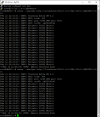
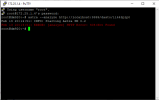
astra --analyze "t2mi://#t2mi_pid=4095&t2mi_input=http://127.0.0.1:8001/1:0:1:FA1:190:0:14A2CB4:0:0:0"
This gave as result:
Code:
root@dm920:~# astra --analyze "t2mi://#t2mi_pid=4095&t2mi_input=http://127.0.0.1:8001/1:0:1:FA1:190:0:14A2CB4:0:0:0"
Feb 09 13:08:33: INFO: Starting Astra SM 0.2
Feb 09 13:08:34: INFO: [t2mi/analyze] L1-current: PLP 0 (Data Type 1), group 1 (*)
Feb 09 13:08:34: INFO: [t2mi/analyze] selected data PLP 0 (auto)
Feb 09 13:08:34: INFO: PAT: tsid: 400
Feb 09 13:08:34: INFO: PAT: pid: 16 NIT
Feb 09 13:08:34: INFO: PAT: pid: 4096 PMT pnr: 4001
Feb 09 13:08:34: INFO: PAT: pid: 4240 PMT pnr: 4002
Feb 09 13:08:34: INFO: PAT: pid: 4160 PMT pnr: 4003
Feb 09 13:08:34: INFO: PAT: pid: 4144 PMT pnr: 4004
Feb 09 13:08:34: INFO: PAT: pid: 4336 PMT pnr: 4005
Feb 09 13:08:34: INFO: PAT: pid: 4224 PMT pnr: 4006
Feb 09 13:08:34: INFO: PAT: pid: 4320 PMT pnr: 4007
Feb 09 13:08:34: INFO: PAT: pid: 4256 PMT pnr: 4008
Feb 09 13:08:34: INFO: PAT: pid: 4304 PMT pnr: 4012
Feb 09 13:08:34: INFO: PAT: pid: 4272 PMT pnr: 4013
Feb 09 13:08:34: INFO: PAT: pid: 4288 PMT pnr: 4014
Feb 09 13:08:34: INFO: PAT: crc32: 0x957172F7
Feb 09 13:08:34: INFO: PMT: pnr: 4004
Feb 09 13:08:34: INFO: PMT: pid: 4145 PCR
Feb 09 13:08:34: INFO: VIDEO: pid: 4145 type: MPEG-4 AVC/H.264, ISO/IEC 14496-10 (0x1B)
Feb 09 13:08:34: INFO: VIDEO: Stream ID: 1
Feb 09 13:08:34: INFO: VIDEO: descriptor: 0x500BF50F01656E67566964656F
Feb 09 13:08:34: INFO: VIDEO: descriptor: 0x28046400283F
Feb 09 13:08:34: INFO: VIDEO: descriptor: 0x060102
Feb 09 13:08:34: INFO: AUDIO: pid: 4147 type: MPEG-1 audio, ISO/IEC 11172-3 (0x03)
Feb 09 13:08:34: INFO: AUDIO: Stream ID: 3
Feb 09 13:08:34: INFO: AUDIO: descriptor: 0x500DF20303737270617564696F2D31
Feb 09 13:08:34: INFO: AUDIO: descriptor: 0x060101
Feb 09 13:08:34: INFO: AUDIO: Language: srp
Feb 09 13:08:34: INFO: PMT: crc32: 0xC696EF01
Feb 09 13:08:34: INFO: PMT: pnr: 4006
Feb 09 13:08:34: INFO: PMT: pid: 4225 PCR
Feb 09 13:08:34: INFO: PMT: descriptor: 0xA30B01426F73010000034F424E
Feb 09 13:08:34: INFO: VIDEO: pid: 4225 type: MPEG-4 AVC/H.264, ISO/IEC 14496-10 (0x1B)
Feb 09 13:08:34: INFO: VIDEO: descriptor: 0x28044D001E3F
Feb 09 13:08:34: INFO: VIDEO: descriptor: 0x060102
Feb 09 13:08:34: INFO: AUDIO: pid: 4227 type: MPEG-1 audio, ISO/IEC 11172-3 (0x03)
Feb 09 13:08:34: INFO: AUDIO: Language: Bos
Feb 09 13:08:34: INFO: PMT: crc32: 0xCD22A757
Feb 09 13:08:34: INFO: PMT: pnr: 4005
Feb 09 13:08:34: INFO: PMT: pid: 4337 PCR
Feb 09 13:08:34: INFO: VIDEO: pid: 4337 type: MPEG-4 AVC/H.264, ISO/IEC 14496-10 (0x1B)
Feb 09 13:08:34: INFO: AUDIO: pid: 4339 type: MPEG-1 audio, ISO/IEC 11172-3 (0x03)
Feb 09 13:08:34: INFO: PMT: crc32: 0x6018387C
Feb 09 13:08:34: INFO: PMT: pnr: 4008
Feb 09 13:08:34: INFO: PMT: pid: 4257 PCR
Feb 09 13:08:34: INFO: VIDEO: pid: 4257 type: MPEG-4 AVC/H.264, ISO/IEC 14496-10 (0x1B)
Feb 09 13:08:34: INFO: AUDIO: pid: 4259 type: MPEG-1 audio, ISO/IEC 11172-3 (0x03)
Feb 09 13:08:34: INFO: PMT: crc32: 0x71801E59
Feb 09 13:08:34: INFO: PMT: pnr: 4014
Feb 09 13:08:34: INFO: PMT: pid: 4289 PCR
Feb 09 13:08:34: INFO: PMT: Maximum bitrate: 5559
Feb 09 13:08:34: INFO: VIDEO: pid: 4289 type: MPEG-4 AVC/H.264, ISO/IEC 14496-10 (0x1B)
Feb 09 13:08:34: INFO: VIDEO: Maximum bitrate: 5184
Feb 09 13:08:34: INFO: AUDIO: pid: 4291 type: MPEG-1 audio, ISO/IEC 11172-3 (0x03)
Feb 09 13:08:34: INFO: AUDIO: Maximum bitrate: 375
Feb 09 13:08:34: INFO: PMT: crc32: 0x935ADF14
Feb 09 13:08:34: INFO: PMT: pnr: 4003
Feb 09 13:08:34: INFO: PMT: pid: 4161 PCR
Feb 09 13:08:34: INFO: VIDEO: pid: 4161 type: MPEG-4 AVC/H.264, ISO/IEC 14496-10 (0x1B)
Feb 09 13:08:34: INFO: VIDEO: Maximum bitrate: 19379
Feb 09 13:08:34: INFO: VIDEO: descriptor: 0x28046400283F
Feb 09 13:08:34: INFO: AUDIO: pid: 4163 type: MPEG-1 audio, ISO/IEC 11172-3 (0x03)
Feb 09 13:08:34: INFO: AUDIO: descriptor: 0x030127
Feb 09 13:08:34: INFO: AUDIO: Maximum bitrate: 492
Feb 09 13:08:34: INFO: PMT: crc32: 0x4DE592CD
Feb 09 13:08:34: INFO: PMT: pnr: 4007
Feb 09 13:08:34: INFO: PMT: pid: 4322 PCR
Feb 09 13:08:34: INFO: VIDEO: pid: 4321 type: MPEG-4 AVC/H.264, ISO/IEC 14496-10 (0x1B)
Feb 09 13:08:34: INFO: VIDEO: Stream ID: 1
Feb 09 13:08:34: INFO: VIDEO: descriptor: 0x500BF50301656E67566964656F
Feb 09 13:08:34: INFO: VIDEO: descriptor: 0x280464001E3F
Feb 09 13:08:34: INFO: VIDEO: descriptor: 0x060102
Feb 09 13:08:34: INFO: AUDIO: pid: 4323 type: MPEG-1 audio, ISO/IEC 11172-3 (0x03)
Feb 09 13:08:34: INFO: AUDIO: Stream ID: 3
Feb 09 13:08:34: INFO: AUDIO: descriptor: 0x500DF20303426F73617564696F2D31
Feb 09 13:08:34: INFO: AUDIO: descriptor: 0x060101
Feb 09 13:08:34: INFO: AUDIO: Language: Bos
Feb 09 13:08:34: INFO: PMT: crc32: 0x49DF5DB
Feb 09 13:08:34: INFO: Bitrate: 17951 Kbit/s
Feb 09 13:08:34: INFO: PMT: pnr: 4012
Feb 09 13:08:34: INFO: PMT: pid: 4305 PCR
Feb 09 13:08:34: INFO: VIDEO: pid: 4305 type: MPEG-4 AVC/H.264, ISO/IEC 14496-10 (0x1B)
Feb 09 13:08:34: INFO: AUDIO: pid: 4307 type: MPEG-1 audio, ISO/IEC 11172-3 (0x03)
Feb 09 13:08:34: INFO: PMT: crc32: 0x7926471
Feb 09 13:08:34: INFO: PMT: pnr: 4002
Feb 09 13:08:34: INFO: PMT: pid: 4241 PCR
Feb 09 13:08:34: INFO: PMT: descriptor: 0xA30E01426F7301000006554E41205456
Feb 09 13:08:34: INFO: VIDEO: pid: 4241 type: MPEG-4 AVC/H.264, ISO/IEC 14496-10 (0x1B)
Feb 09 13:08:34: INFO: VIDEO: descriptor: 0x28046400283F
Feb 09 13:08:34: INFO: VIDEO: descriptor: 0x060102
Feb 09 13:08:34: INFO: AUDIO: pid: 4243 type: ADTS AAC, ISO/IEC 13818-7 (0x0F)
Feb 09 13:08:34: INFO: AUDIO: Language: Bos
Feb 09 13:08:34: INFO: PMT: crc32: 0x20E57AB3
Feb 09 13:08:34: INFO: PMT: pnr: 4013
Feb 09 13:08:34: INFO: PMT: pid: 4273 PCR
Feb 09 13:08:34: INFO: VIDEO: pid: 4273 type: MPEG-4 AVC/H.264, ISO/IEC 14496-10 (0x1B)
Feb 09 13:08:34: INFO: AUDIO: pid: 4275 type: MPEG-1 audio, ISO/IEC 11172-3 (0x03)
Feb 09 13:08:34: INFO: PMT: crc32: 0xDCDDC864
Feb 09 13:08:34: INFO: PMT: pnr: 4001
Feb 09 13:08:34: INFO: PMT: pid: 4097 PCR
Feb 09 13:08:34: INFO: VIDEO: pid: 4097 type: MPEG-4 AVC/H.264, ISO/IEC 14496-10 (0x1B)
Feb 09 13:08:34: INFO: AUDIO: pid: 4099 type: MPEG-1 audio, ISO/IEC 11172-3 (0x03)
Feb 09 13:08:34: INFO: PMT: crc32: 0xD615FE6
Feb 09 13:08:34: INFO: SDT: tsid: 400
Feb 09 13:08:34: INFO: SDT: sid: 4001
Feb 09 13:08:34: INFO: SDT:    Service: O Kanal
Feb 09 13:08:34: INFO: SDT:    Provider: Dasto Semtel
Feb 09 13:08:34: INFO: SDT: sid: 4004
Feb 09 13:08:34: INFO: SDT:    Service: BN TV
Feb 09 13:08:34: INFO: SDT:    Provider: Dasto Semtel
Feb 09 13:08:34: INFO: SDT: sid: 4006
Feb 09 13:08:34: INFO: SDT:    Service: OBN
Feb 09 13:08:34: INFO: SDT:    Provider: Dasto Semtel
Feb 09 13:08:34: INFO: SDT: sid: 4014
Feb 09 13:08:34: INFO: SDT:    Service: RTV BPK
Feb 09 13:08:34: INFO: SDT:    Provider: Dasto Semtel
Feb 09 13:08:34: INFO: SDT: sid: 4012
Feb 09 13:08:34: INFO: SDT:    Service: RTV Cazin
Feb 09 13:08:34: INFO: SDT:    Provider: Dasto Semtel
Feb 09 13:08:34: INFO: SDT: sid: 4002
Feb 09 13:08:34: INFO: SDT:    Service: UNA TV
Feb 09 13:08:34: INFO: SDT:    Provider: Dasto Semtel
Feb 09 13:08:34: INFO: SDT: sid: 4003
Feb 09 13:08:34: INFO: SDT:    Service: NOVA BH
Feb 09 13:08:34: INFO: SDT:    Provider: Dasto Semtel
Feb 09 13:08:34: INFO: SDT: sid: 4005
Feb 09 13:08:34: INFO: SDT:    Service: O Music
Feb 09 13:08:34: INFO: SDT:    Provider: Dasto Semtel
Feb 09 13:08:34: INFO: SDT: sid: 4007
Feb 09 13:08:34: INFO: SDT:    Service: N1
Feb 09 13:08:34: INFO: SDT:    Provider: Dasto Semtel
Feb 09 13:08:34: INFO: SDT: sid: 4013
Feb 09 13:08:34: INFO: SDT:    Service: RTV USK
Feb 09 13:08:34: INFO: SDT:    Provider: Dasto Semtel
Feb 09 13:08:34: INFO: SDT: sid: 4008
Feb 09 13:08:34: INFO: SDT:    Service: TV SA
Feb 09 13:08:34: INFO: SDT:    Provider: Dasto Semtel
Feb 09 13:08:34: INFO: SDT: crc32: 0x374670BE

continued in next message, seems I may only use 1000 characters.
 
And made this bouquet:
Code:
#SERVICE 1:64:1E7:0:0:0:0:0:0:0::--- Dasto Semtel T2-MI ---
#DESCRIPTION --- Dasto Semtel T2-MI ---
#SERVICE 1:0:1:FA1:190:7FE:14a0000:0:0:0:http%3a//0.0.0.0%3a9999/dasto0/11444plp0:O Kanal
#DESCRIPTION O Kanal
#SERVICE 1:0:1:FA2:190:7FE:14a0000:0:0:0:http%3a//0.0.0.0%3a9999/dasto0/11444plp0:UNA TV
#DESCRIPTION UNA TV
#SERVICE 1:0:1:FA3:190:7FE:14a0000:0:0:0:http%3a//0.0.0.0%3a9999/dasto0/11444plp0:NOVA BH
#DESCRIPTION NOVA BH
#SERVICE 1:0:1:FA4:190:7FE:14a0000:0:0:0:http%3a//0.0.0.0%3a9999/dasto0/11444plp0:BN TV
#DESCRIPTION BN TV
#SERVICE 1:0:1:FA5:190:7FE:14a0000:0:0:0:http%3a//0.0.0.0%3a9999/dasto0/11444plp0:O Music
#DESCRIPTION O Music
#SERVICE 1:0:1:FA6:190:7FE:14a0000:0:0:0:http%3a//0.0.0.0%3a9999/dasto0/11444plp0:OBN
#DESCRIPTION OBN
#SERVICE 1:0:1:FA7:190:7FE:14a0000:0:0:0:http%3a//0.0.0.0%3a9999/dasto0/11444plp0:N1
#DESCRIPTION N1
#SERVICE 1:0:1:FA8:190:7FE:14a0000:0:0:0:http%3a//0.0.0.0%3a9999/dasto0/11444plp0:TV SA
#DESCRIPTION TV SA
#SERVICE 1:0:1:FAC:190:7FE:14a0000:0:0:0:http%3a//0.0.0.0%3a9999/dasto0/11444plp0:RTV Cazin
#DESCRIPTION RTV Cazin
#SERVICE 1:0:1:FAD:190:7FE:14a0000:0:0:0:http%3a//0.0.0.0%3a9999/dasto0/11444plp0:TV USK
#DESCRIPTION TV USK
#SERVICE 1:0:1:FAE:190:7FE:14a0000:0:0:0:http%3a//0.0.0.0%3a9999/dasto0/11444plp0:RTV BPK
#DESCRIPTION RTV BPK

Note: I took the ONID and TID from Lyngsat, I'd like to know how I can find these parameters myself. Or does it not matter what I set as ONID and TID in the bouquet? (As long as the SID is right).

-Started Enigma2 again with init 3.

When I tune into one of the channels no picture and the message "No data on transponder! (Timeout reading PAT)"
 
From my point of view you did all correct:
I tuned the channels with my octagon and ONID & TID are correct,
i checked your script but i didn't see any mistake.

This, in example, is the service reference for "O Kanal" as stored in my octagon and you'll see is the same as yours:
O Kanal: 1:0:19:FA1:190:7FE:14A0000:0:0:0

The only difference is the service type (in my case 19) meaning "19h = MPEG / H264 (HD,FHD)" but i don't think this will make a difference
 
Last edited:
Note: I took the ONID and TID from Lyngsat, I'd like to know how I can find these parameters myself. Or does it not matter what I set as ONID and TID in the bouquet? (As long as the SID is right).

When I tune into one of the channels no picture and the message "No data on transponder! (Timeout reading PAT)"
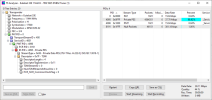
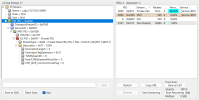
1, http://ip_dm920:9999/dasto0/11442plp0 - open in TransEdit, show all parameters (SID,TID,NID,ONID)
2, try use c:000fff if use OE2.5 (maybe problem OE2.5 if DATA set as c:15)
3, i think that using 1 or 19 in userbouquet will not change anything
 
1, http://ip_dm920:9999/dasto0/11442plp0 - open in TransEdit, show all parameters (SID,TID,NID,ONID)
2, try use c:000fff if use OE2.5 (maybe problem OE2.5 if DATA set as c:15)
3, i think that using 1 or 19 in userbouquet will not change anything

1. I add that as a TS stream? When pressing Analyse or Scan Selected I get a Tuning Error.
Laptop is connected to the same switch with IP-address 172.25.1.100
1675976061044.png

2. I have OpenPLi 8.3, that should not be OE2.5.
Other transponders like those on 4.8E also have c:15 and they work.

3. I think so too.


For the record: I made an error in the post above, astra.conf in my receiver actually is:
--Dasto Semtel 33E

dastosemtel = make_t2mi_decap({
name = "Dasto",
input = "http://localhost:8001/1:0:1:FA1:190:0:14A2CB4:0:0:0",
plp = 0,
pnr = 0,
pid = 4095,
})

make_channel({
name = "Dasto",
input = { "t2mi://dastosemtel", },
output = { "http://0.0.0.0:9999/dasto0/11444plp0", },
})
 

Attachments

  • 1675974698558.png
    1675974698558.png
    32.9 KB · Views: 36
for me work ok (you use TransEdit together with DVBViewer installation or just separately without installation ? - without installation, it does not have the necessary libraries for processing streams)
capture_014_09022023_222756.png33E_11443H.pngcapture_016_09022023_230305.png
Code:
<transponder frequency="11443000" symbol_rate="17500000" polarization="0" fec_inner="3" system="1" modulation="2" t2mi_plp_id="0" t2mi_pid="4095"/>
Code:
014a2cb3:0190:0000
    s 11443000:17500000:0:3:330:2:0:1:2:0:2:-1:0:1:0:4095
/

0fa1:014a2cb3:0190:0000:1:0:0
T2MI 11443H PLP0 SID 0xfa1
p:T2-MI,c:031fff,c:150fff,f:5
Code:
-- DASTO 33E

f11443 = make_t2mi_decap({
        name = "11443H T2MI",
        input = "http://localhost:8001/1:0:1:FA1:190:0:14A2CB3:0:0:0:",
        plp = 0,
        pnr = 0,
        pid = 4095,
})

make_channel({
        name = "11443plp0", input = { "t2mi://f11443", },
        output = { "http://0.0.0.0:9999/dasto/11443plp0", },
})
Code:
#NAME Dasto Semtel T2-MI (33.1E)
#SERVICE 1:64:16:0:0:0:0:0:0:0::---------- Dasto Semtel T2-MI (33.1 E) ----------
#DESCRIPTION ---------- Dasto T2-MI (33E) ----------
#SERVICE 1:64:0:0:0:0:0:0:0:0::NID 0D01
#DESCRIPTION NID 3329
#SERVICE 1:0:1:FA1:190:7FE:0:0:0:0:http%3a//0.0.0.0%3a9999/dasto/11443plp0:O Kanal
#SERVICE 1:0:19:FA2:190:7FE:0:0:0:0:http%3a//0.0.0.0%3a9999/dasto/11443plp0:UNA TV (test 19 from SDT)
#SERVICE 1:0:1B:FA3:190:7FE:0:0:0:0:http%3a//0.0.0.0%3a9999/dasto/11443plp0:NOVA BH (test 1B from PMT)
#SERVICE 1:0:1:FA4:190:7FE:0:0:0:0:http%3a//0.0.0.0%3a9999/dasto/11443plp0:BN TV
#SERVICE 1:0:1:FA5:190:7FE:0:0:0:0:http%3a//0.0.0.0%3a9999/dasto/11443plp0:O Music
#SERVICE 1:0:1:FA6:190:7FE:0:0:0:0:http%3a//0.0.0.0%3a9999/dasto/11443plp0:OBN
#SERVICE 1:0:1:FA7:190:7FE:0:0:0:0:http%3a//0.0.0.0%3a9999/dasto/11443plp0:N1
#SERVICE 1:0:1:FA8:190:7FE:0:0:0:0:http%3a//0.0.0.0%3a9999/dasto/11443plp0:TV SA
#SERVICE 1:0:1:FAC:190:7FE:0:0:0:0:http%3a//0.0.0.0%3a9999/dasto/11443plp0:RTV Cazin
#SERVICE 1:0:1:FAD:190:7FE:0:0:0:0:http%3a//0.0.0.0%3a9999/dasto/11443plp0:RTV USK
#SERVICE 1:0:1:FAE:190:7FE:0:0:0:0:http%3a//0.0.0.0%3a9999/dasto/11443plp0:RTV BPK
1_0_1_FA1_190_7FE_0_0_0_0_20230209234304.jpg
 
Last edited:
Hi

With this configuration it works with DM920

Greetings

Fidu
 

Attachments

  • screenshot 4.jpg
    screenshot 4.jpg
    160 KB · Views: 43
  • Dasto.png
    Dasto.png
    425.2 KB · Views: 52
  • screenshot 1.jpg
    screenshot 1.jpg
    184.4 KB · Views: 40
  • screenshot 2.jpg
    screenshot 2.jpg
    177.6 KB · Views: 30
  • screenshot 3.jpg
    screenshot 3.jpg
    120.6 KB · Views: 33
for me work ok (you use TransEdit together with DVBViewer installation or just separately without installation ? - without installation, it does not have the necessary libraries for processing streams)
View attachment 147465View attachment 147464View attachment 147463
Code:
<transponder frequency="11443000" symbol_rate="17500000" polarization="0" fec_inner="3" system="1" modulation="2" t2mi_plp_id="0" t2mi_pid="4095"/>
Code:
014a2cb3:0190:0000
    s 11443000:17500000:0:3:330:2:0:1:2:0:2:-1:0:1:0:4095
/

0fa1:014a2cb3:0190:0000:1:0:0
T2MI 11443H PLP0 SID 0xfa1
p:T2-MI,c:031fff,c:150fff,f:5
Code:
-- DASTO 33E

f11443 = make_t2mi_decap({
        name = "11443H T2MI",
        input = "http://localhost:8001/1:0:1:FA1:190:0:14A2CB3:0:0:0:",
        plp = 0,
        pnr = 0,
        pid = 4095,
})

make_channel({
        name = "11443plp0", input = { "t2mi://f11443", },
        output = { "http://0.0.0.0:9999/dasto/11443plp0", },
})
Code:
#NAME Dasto Semtel T2-MI (33.1E)
#SERVICE 1:64:16:0:0:0:0:0:0:0::---------- Dasto Semtel T2-MI (33.1 E) ----------
#DESCRIPTION ---------- Dasto T2-MI (33E) ----------
#SERVICE 1:64:0:0:0:0:0:0:0:0::NID 0D01
#DESCRIPTION NID 3329
#SERVICE 1:0:1:FA1:190:7FE:0:0:0:0:http%3a//0.0.0.0%3a9999/dasto/11443plp0:O Kanal
#SERVICE 1:0:19:FA2:190:7FE:0:0:0:0:http%3a//0.0.0.0%3a9999/dasto/11443plp0:UNA TV (test 19 from SDT)
#SERVICE 1:0:1B:FA3:190:7FE:0:0:0:0:http%3a//0.0.0.0%3a9999/dasto/11443plp0:NOVA BH (test 1B from PMT)
#SERVICE 1:0:1:FA4:190:7FE:0:0:0:0:http%3a//0.0.0.0%3a9999/dasto/11443plp0:BN TV
#SERVICE 1:0:1:FA5:190:7FE:0:0:0:0:http%3a//0.0.0.0%3a9999/dasto/11443plp0:O Music
#SERVICE 1:0:1:FA6:190:7FE:0:0:0:0:http%3a//0.0.0.0%3a9999/dasto/11443plp0:OBN
#SERVICE 1:0:1:FA7:190:7FE:0:0:0:0:http%3a//0.0.0.0%3a9999/dasto/11443plp0:N1
#SERVICE 1:0:1:FA8:190:7FE:0:0:0:0:http%3a//0.0.0.0%3a9999/dasto/11443plp0:TV SA
#SERVICE 1:0:1:FAC:190:7FE:0:0:0:0:http%3a//0.0.0.0%3a9999/dasto/11443plp0:RTV Cazin
#SERVICE 1:0:1:FAD:190:7FE:0:0:0:0:http%3a//0.0.0.0%3a9999/dasto/11443plp0:RTV USK
#SERVICE 1:0:1:FAE:190:7FE:0:0:0:0:http%3a//0.0.0.0%3a9999/dasto/11443plp0:RTV BPK
View attachment 147471
No I don't have DVBViewer, where can I download that?

Can you explain how you got to this?
Code:
11443000:17500000:0:3:330:2:0:1:2:0:2:-1:0:1:0:4095
It is totally different than the value I had after a scan.

I literally copy-pasted everything but still not working.
Mist be differences in hardware+image?
 

Attachments

1, DVB viewer home
2, e2 automaticaly created from satellites.xml (or manual scan)
Code:
frequency:symbolrate:polarisation:FEC:position:inversion:flags:system:modulation:roll_off:pilot:id_stream:pls_code:pls_mode
Code:
001a0000:07d2:0002
s 12303000:30000000:1:4:282:2:0:1:1:0:2:30:0:1:0:4096
----------------------------------------------------------
namespace - XXXXxxxx /XXXX-position , xxxx-frequency
transponder_stream_id - TID
original_network_id - NID
mode - s-Satellite , t-Terestrial , c-Cable
frequency - kHz
symbol_rate -
polarization - 0-Horizontal, 1-Vertical, 2-Left, 3-Right
fec_inner - FEC - 0-Auto, 1-1/2, 2-2/3, 3-3/4, 4-5/6, 5-7/8, 6-, 7-, 8-, 9-9/10
orbital_position - + = East , - = West
inversion - 0-Off, 1-On, 2-Auto
flags
system - 0-DVB-S, 1-DVB-S2, 2-None(crash e2)
modulation - 0-Auto, 1-QPSK, 2-8PSK, 3-QAM16, 4-16APSK, 5-32APSK, 6-None(crash e2)
roll_off - 0-0.35, 1-0.25, 2-0,20, 3-Auto, 4-None
pilot - 0-Off, 1-On, 2-Auto, 3-None
is_id - Multistream number (max.255)
pls_code - Psychical Layer Stream number (max.262141)
pls_mode - 0-Gold, 1-Gold, 2-Combo, 3-unknown
t2mi_plp_id - T2-MI number
t2mi_pid - T2-MI pid

0fa1:011a0000:07d2:0002:25:0
Sky Sports 1 HD
p:BSkyB,c:050001
-------------------
service_id - SID
namespace - XXXXxxxx /XXXX - position , xxxx - frequency/
transport_stream_id - TID
original_network_id - NID
service_type -
flags/ATSC_source_id // source_id 0 = not use
name

3, astra analyse still show correct ?
received stream
Code:
astra --analyze http://localhost:8001/1:0:1:FA1:190:0:14A2CB3:0:0:0:
de-capsuled T2-MI stream
Code:
astra --analyze http://localhost:9999/dasto/11443plp0

4, try open in VLC http://172.25.1.4:9999/dasto/11443plp0

5, after editing astra.conf you can get more information about the activity to the console
Code:
log.set({ stdout = true, debug = true, syslog = "astra", })
 
Last edited:
1. I downloaded the demo version, I think that will do.
Using TransEdit + DVB Viewer is not as straightforward for me as it is for you I guess. I still get Tune error.
How do I use them together?

2. This makes it very clear! Thanks for the info.

3. With that I get this:
1676236619690.png

4. But VLC says:
1676236802347.png

5. What's this? Where/with what do I use that?
 
Sorry, I thought they were both in the same screenshot.
Seems to be twice the same analyse.

This is the output, so astra-sn does not do his job? (Config below)

1676315862021.png


Code:
-- DASTO 33E

f11443 = make_t2mi_decap({
        name = "11443H T2MI",
        input = "http://localhost:8001/1:0:1:FA1:190:0:14A2CB3:0:0:0:",
        plp = 0,
        pnr = 0,
        pid = 4095,
})

make_channel({
        name = "11443plp0", input = { "t2mi://f11443", },
        output = { "http://0.0.0.0:9999/dasto/11443plp0", },
})

5, after editing astra.conf you can get more information about the activity to the console
Code:
log.set({ stdout = true, debug = true, syslog = "astra", })
I see now this on top of astra.conf:

Code:
-- Astra Slonik Mod

log.set({ stdout = false, debug = false, syslog = "astra", })
 
Last edited:
The GTMedia Combo catches it on the spare 80 Orbital (SW London), taking time to process though since it runs through all other T2MI satellite searches.
 

Attachments

  • 20230213_201333[1].jpg
    20230213_201333[1].jpg
    640.6 KB · Views: 25
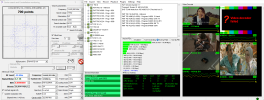
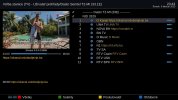
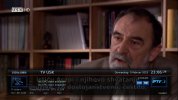
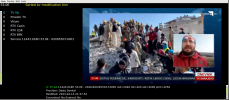
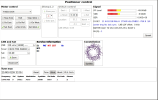
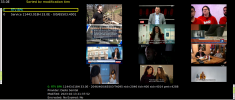
neumoDVB can decode this "out of the box":

tvsa.png


positioner.png
 
And here it decodes 12 services on this mux, all at once.

all.png
 
Status
Not open for further replies.
Back
Top