Reset Root Password, Plugin

Status
Not open for further replies.
Your dreambox appears to be using cramfs, meaning that certain parts of the image are read only.

I've modified the script so that it tries to remount the file system in read/write mode. Download and install this new version.
View attachment 21662

Its unlikely to work, but you can give it a shot.

There is a more long winded way around this problem, but it requires root access, which you obviously don't have. :mad:

Unfortunately your on your own after this, because I dont have DM500 to run tests on, sorry :p

If I think of anything, I'll post back.
 

Attachments

compufunk said:
Your dreambox appears to be using cramfs, meaning that certain parts of the image are read only.

I've modified the script so that it tries to remount the file system in read/write mode. Download and install this new version.
View attachment 21662

Its unlikely to work, but you can give it a shot.

There is a more long winded way around this problem, but it requires root access, which you obviously don't have. :mad:

Unfortunately your on your own after this, because I dont have DM500 to run tests on, sorry :p

If I think of anything, I'll post back.

Still not working... Unable to remove and cannot remove...

Why not creating a file which will replace the passwd file to the default one directly?
 
man2003 said:
Why not creating a file which will replace the passwd file to the default one directly?
Thats what it does. :confused:

If the filesystem is readonly, then you cant modify the passwd file no matter what way you try to do it. You cant delete it, you cant overwrite it, you cant move it, you cant modify it.

Try it yourself if you don't think that's the case.

The only solution will be to make the file system read write, If someone knows of a way to do that with one or two commands then please post them here and I'll stick them in the script.

Otherwise, forget about it, because the only other way of doing it requires root access, which you dont have, otherwise you wouldn't be using this script.

As I said, I don't have a DM500 to test on.

You could also copy the encrypted password then crack it, but I'm not explaining how to do that. You'll need to find out for yourself.
 
compufunk said:
Thats what it does. :confused:

If the filesystem is readonly, then you cant modify the passwd file no matter what way you try to do it. You cant delete it, you cant overwrite it, you cant move it, you cant modify it.

Try it yourself if you don't think that's the case.

The only solution will be to make the file system read write, If someone knows of a way to do that with one or two commands then please post them here and I'll stick them in the script.

Otherwise, forget about it, because the only other way of doing it requires root access, which you dont have, otherwise you wouldn't be using this script.

As I said, I don't have a DM500 to test on.

You could also copy the encrypted password then crack it, but I'm not explaining how to do that. You'll need to find out for yourself.

Thanks a lot compufunk, Appreciate your effort... I'll try to copy the encrypted password then crack it once I find How...
 
I found other way to restore default password...:
- Mount Folder to the Dreambox.
- Unrar attached file and extracted file to the mounted folder.
- Click Blue Button to open Blue Panel
- Click Extras/Settings
- Click Restore Backup
- Find your mounted folder and find the file
- Click Green
- Click Green again
- You are done...

Password is dreambox...
 
Nice one, I never thought of the 'restore backup' route. :)

For those who might want to switch back to the original password, it may be worth making a backup of the original passwd file before using this method.

Also, there are a lot of system users missing from the above file compared to those that are included in the DM600 passwd file. So it should probably only be used on a DM500.
 
compufunk said:
Nice one, I never thought of the 'restore backup' route. :)

For those who might want to switch back to the original password, it may be worth making a backup of the original passwd file before using this method.

Also, there are a lot of system users missing from the above file compared to those that are included in the DM600 passwd file. So it should probably only be used on a DM500.

Since I do not have Linux System or even do not know how to do the same under Windows OS, then can you please create one for DM600PVR as well...
 
man2003 said:
Since I do not have Linux System or even do not know how to do the same under Windows OS, then can you please create one for DM600PVR as well...
If you've got a DM600 or any other dreambox that's not using cramfs, the password switch script in the 1st post will work, so I don't really see the need.
 
Thank you for solution "rjms"
I tried this information and passwd flie. everthing does work I copy file overwrite to /var/etc (use plugin tuxbox commander)
Thank you over again, rjms
 
Hi everyone ,
I have Dreambox 500-s and i am not able to run the script as it also give me Read-only Msg ,

I think there is a solution to fake a root access ....i hope some of the Linux Experts can help us ,
 
wookiee said:
Hi everyone ,
I have Dreambox 500-s and i am not able to run the script as it also give me Read-only Msg ,

I think there is a solution to fake a root access ....i hope some of the Linux Experts can help us ,

Check post #25...
 
wookiee said:
I think there is a solution to fake a root access ....i hope some of the Linux Experts can help us ,
Its got nothing to do with root access, the script runs as root. The problem lies with the file system being read only.

For the DM500, do as man2003 suggests and look at post 25.
 
wookiee said:
Hi everyone ,
I have Dreambox 500-s and i am not able to run the script as it also give me Read-only Msg ,

I think there is a solution to fake a root access ....i hope some of the Linux Experts can help us ,

ref: Post # 17
1.dowload password.rar and extract
2.setting dream in unmount mode and see folder with pc (password) folder.
3.Install tuxbox commander.
4.copy file (password) form pc and chose overwrite to /var/etc (use plugin tuxbox commander)

Try again, Na krab (Thai boy):toke:
 
Do you have trouble reading?

Post#25
 
did anyone tried the attached file in post #25 by man2003 ?

can it solve the read-only problem ?
 
ok i tryed with password switcher and with Restore Backup, but i get this message: Install Not sucsessfull on dm 500. When i try to donload some plugin from gemini server, i get the same error. I thing it has something to do with file permissions, may the folders be read only or something?

thanks.

best regards.
 
i do not have an option in blue button menu to manually install plugins. i only have file mode. i have mounted the folder with the password switcher inside it but the file mode of the dreambox cannot find the plugin.

any other way?
 
tayab said:
But what if blue button is also locked?
There is not much you can do about that. You have two options. Flash it with another image or leave it as is.

nlo81mkd said:
ok i tryed with password switcher and with Restore Backup, but i get this message: Install Not sucsessfull on dm 500. When i try to donload some plugin from gemini server, i get the same error. I thing it has something to do with file permissions, may the folders be read only or something?

thanks.

best regards.
It could be related to file permissions as you suggest. But, if you are having trouble installing plugins. You should start another thread about your problem because its a different issue.

Use of the above plugin/script assumes that you can install plugins.

dadon123 said:
i do not have an option in blue button menu to manually install plugins. i only have file mode. i have mounted the folder with the password switcher inside it but the file mode of the dreambox cannot find the plugin.

any other way?
If you mean that you are locked out of the blue panel then there is not much you can do about it.

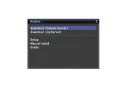
On the Gemini images, press the blue button then #2 and you should see the option to do a manual install. See attached image.
 

Attachments

  • osdshot.webp
    osdshot.webp
    9.5 KB · Views: 569
Hallo everybody,
First of all i have to plesure the member compufunk about this useful password swither plugin.
It works for me the second version in post #21 http://www.satellites.co.uk/forums/dreambox-support-forum/140996-reset-root-password-plugin.html

But there is an issue, the ftp password still not working. When i try to view the file passw inside the plungin there is not the line about ftp password.

Is there any possibility to make again plugin include the reset and ftp password?

Thank you.
 
Status
Not open for further replies.
Back
Top