Satdump software & wxsat reception

Im not recording - Im doing live decoding. When I was letting records run I think it was f32 though.

 
Here is my tracking info.

Schedule.jpg
 
And here is whats going on after I changed to your settings.

Satdump 3a.jpg
 
OK I found a possible problem, in the decoding section the input file is loaded, it's sample rate is 30000SPS in the F32 format.

In the baseband format settings the setting is F32, then the sample rate is set to 30ksps, when I hit the start button I get an error, it states that the SPS must be above 1, but the SPS is set to 30ksps, is this a program bug??

If so I see no way to report this to satdump.

Sample rate problem 1A.jpg
 
WOW...After many Moons I finally got it going, here is the latest from NOAA-19, you can see the coast quite nice, and our next rain storm coming in.

NOAAT-19 1c.jpg
 
Now to work on getting those Meteor satellites working, I have a pre-amp coming in the mail, as my top end is a bit too weak for the 1.7 GHz stuff will see what happens.
 
NICE!!

You should be able to get the M2-3 VHF stuff decoded easily enough just using satdump. I shall look forward to seeing your 1.7GHz results though - and there are quite a few satellites to have a go for. What antenna will you be using?
 
.About a week ago my computer went belly up the m2 ssd expired taking the operating system with it.I temoraraly installed a 1TD HDD,installed one of my Macrium images( I Have lots) satdump working.Very slow loading the operating system though.I wiped a 500GB samsung ssd and installed an image onto that. All good upto then.Installed Satdump problemTLEs not updating, the recording times are 15-20 minutes too early according NY2O.com it starts recording when the satellite is near the equator.I have tried lots of differen images same result.Even tried the portable version on my W11 mini pc. TLEs wrong.Reinstalled the HDD Satdump working ok TLEs ok.The settings are just the same as on the ssd.Below the NOAA19 19.20 pass using the HDD W10 image
N19 2.JPGN19 1.JPG
 
You can force a TLE update in satdump. Its in SETTINGS - GENERAL SATDUMP

2 up from the botton in v1.14. Also check the update frequency - thats 3 up from the bottom in that tab
 
I have done that analoguesat it doesn't work.I will have a look at the frequency TLE update is set at 1 day
also in tracking config update passes
 
Last edited:
NICE!!

You should be able to get the M2-3 VHF stuff decoded easily enough just using satdump. I shall look forward to seeing your 1.7GHz results though - and there are quite a few satellites to have a go for. What antenna will you be using?
I'm using a super discone antenna from Diamond, it's good to 3 GHz, down lead is RG-214 it's good to 11 GHz, new amp seams to be working, will find out in about 10 min, next pass as this one is a bit on the low side, is around 22:19 UTC.
 
Thats odd. Check the folder permissions that satdump is installed into & make sure they arent set to read only. This is what my SETTINGS tab looks like:
Capture.JPG

I clicked tle update to make sure it works & from the timestamp it has.
 
I'm using a super discone antenna from Diamond, it's good to 3 GHz, down lead is RG-214 it's good to 11 GHz, new amp seams to be working, will find out in about 10 min, next pass as this one is a bit on the low side, is around 22:19 UTC.
Interesting - I know grid antennas are used a lot for 1.7GHz but of course need tracking ability.
 
Well I had nothing on any frequency for M2-3, 1.7 GHz nothing, any of the 137 MHz bands nothing.

What frequecys are you using for the Meteor stuff?

I tried all and got zip.
 
I have done that analoguesat it doesn't work.I will have a look at the frequency TLE update is set at 1 day
also in tracking config update passes
Try the settings I have for the NOAA satellites, they seam to be working fine for me, this one is from the NOAA-18 satellite, last pass was good.

NOAA 18 settings.jpg
 
Interesting - I know grid antennas are used a lot for 1.7GHz but of course need tracking ability.
If I get the 1.7 stuff to work for the Meteor sats, then I might spend the bucks for a GOES antenna and a pre-amp just for the GOES satellite, GOES 18 is right in my neighborhood, it's in a Geosynchronous orbit at 137W.
 
Thats odd. Check the folder permissions that satdump is installed into & make sure they arent set to read only. This is what my SETTINGS tab looks like:
View attachment 155056

I clicked tle update to make sure it works & from the timestamp it has.
Mine is just the same.I have just installed Satdump on my W11 mini pc .The same problemTLEs wrong I press the update the times do not change.I even tried the nightly version same problem.I suspected the virus checker nope.The odd thing is that the version on the HDD works perfectly.That rules out the router same Satdump version.I will keep hammering away at it.
 
Well I had nothing on any frequency for M2-3, 1.7 GHz nothing, any of the 137 MHz bands nothing.

What frequecys are you using for the Meteor stuff?

I tried all and got zip.
137.9MHz for 2-3

137.1MHz for 2-4, which is off atm - its not been transmitting anything on vhf or 1.7GHz for a week

137.9 images on 2-3 are erratic. They can be very good, but mostly are marred with lines.
 
Just realised .Installing it on W11 and same problem also rules out the image too.Grasping at straws now:)Tomorrow isolate the mini pc from thr network.
 
Ive just seen a post on the APT fb page saying Meteor M2-3 is currently providing poor quality images & needs a reboot of one of its systems again. Which would explain why I got that gorgeous image of Greenland last week & the images have been uniformly terrible this week!

One of the posters has posted this - only applicable to the latest nightly builds atm

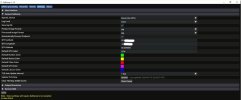
Update: The latest SatDump nightly now lets you turn off enforcing RS checks from the UI. Normally it's a good idea to leave this on, but turning this off is the only way to get LRPT imagery right now!
433444101_7626616344057595_4581455856022021506_n.jpg


Info source fb member Jamie Vital in the APT Group.
 
Last edited:
Back
Top