Satdump software & wxsat reception

Can I also use a satellite dish or does the antenna have to be like the one in the picture I saw, just an informative question. (I have an 80 cm, 100cm satdish)
No a standard satellite dish will not work for these frequency's, they are for the 12 GHz band, the system we work on are for the 137 MHz band.

You can buy a 137 MHz antenna or make your own, some places on the internet (eBay) sell them but some are expensive, others just make their own.

Some antennas work fine, but with others you might have poor signal reception, this would/could be all determined by your location.

Here's one for a do it your self setup.
 
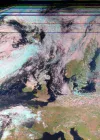
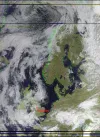
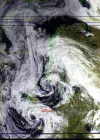
Must be local interference to you ponti. Heres my decode of the same pass

Meteor M2-3 1018utc
southbound pass, max elevation 73 degrees to my west

View attachment 170300
I have a problem here.I am on the edge of the Pennines.The terrain is a bit lumpy.I am on the north facing slope of a small east west valley.Trees to the north and west.House 6 meters to the south.I am surprised that I get anything.Clear to the East.One does Ones best doesn’t one.:D
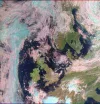
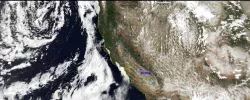
Meteor 2-4 13:50 utc EL78.88
8msu_mr_rgb_avhrr_3a21_false_color_corrected.webp
 
Last edited:
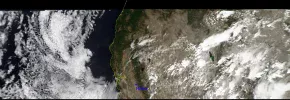
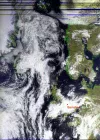
I has a wide but narrow MSA pass today on M2-4, it was cut off top and bottom.Meteor M2-4 MSA pass 8-23-26c.webp
 
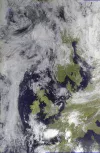
I had a good pass on M2-3 today, I also found out that some of my downloads are at night, they don't display anything at all, just black photos.

Meteor M2-3 MSA pass 8-26-26c.webp
 
Infra red detectors are turned off during the summer. They will be turned back on mid October.
 
Very interesting setup. I like that SatDump handles most of the process in one place instead of relying on several different programs.
Those satellite images are seriously impressive for such a modest setup.
 
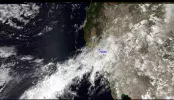
And a good pass on M2-4 this afternoon, not clipped or edited.

You can see a little bit of rain in the mix, we need some but this one is not that full of moisture.
Meteor M2-4 MSA pass 8-27-26c.webp
 
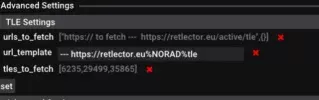
Check your satdump tle settings - the urls have changed.

Settings tab - Advanced settings - TLE settings

Change
Code:
urls to fetch ---  https://retlector.eu/active/tle
url template --- https://retlector.eu/%NORAD%/tle
tles to fetch should already be 29499,35865
make sure you get the % signs in the middle one!
 
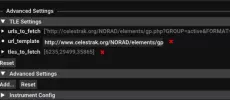
It took a bit of searching but I got there.This is what I have in advanced settings.Satdump seems to be working ok. Which is just as well.I have no idea how to change those settings.
tle.webp
 
Check your satdump tle settings - the urls have changed.

Settings tab - Advanced settings - TLE settings

Change
Code:
urls to fetch ---  https://retlector.eu/active/tle
url template --- https://retlector.eu/%NORAD%/tle
tles to fetch should already be 29499,35865
make sure you get the % signs in the middle one!
This is all I see in that setup, and I have no idea on wht or how to change it.
TLE settings1a.webp
 
Celestrak no longer provides the tle we need - they now provide the new format after the tle code ran out of numbers. If you go to Settings - general Satdump - Update TLE's now you can see the time stamp of the last successful update. If you click Update now it will fail.

To change them just click on the left hand end of the strings & type the new settings into the box that pops up
 
For the weather sats it doesnt matter too much - the orbits dont vary much & it would take months for Satdump to drift out of synch with the birds. But if you do SSTV via the ISS then that would be different as the orbit is regularly boosted by the supply ships. (Yes I know you cant do SSTV in Satdump. Yet - that functionality is coming in a future release)
 
Back
Top