solo2

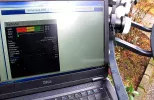
^^^ tried with laptop just to see how it would work :O) only just tolerable, as best refresh rate I could set still way slower than the instant readings on tv.
 

Attachments

  • satf.webp
    satf.webp
    136.9 KB · Views: 21
Last edited:
One grumble with Blackhole, anyone knows a trick to get rid of unwanted entries in 'All' & 'Satellites services' after a scan? No 'delete' in menu. Tried with editor (dreamset), and manually editing lamedb, but no luck. Rest of channel management (favorites, bouquets etc is fine).

The solo2 behaves great. Managed to lock it up a few times, but that's with trying things like ftp while recording and updating epg at the same time :O) 'Normal' use it shows no trouble whatsoever.

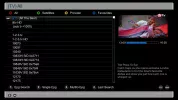
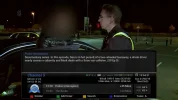
& nice to get screenshots on the pc!
 

Attachments

  • 0_0.webp
    0_0.webp
    30.9 KB · Views: 17
Last edited:
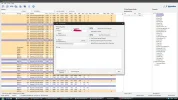
I use Dreamboxedit, easy to use, edit/delete channels, and Bouquets.
Just set up a new folder, on your PC desktop, titled settings, default name, and location, which you can change, in the Dreamboxedit options.
Next import your channel list, from the Solo 2, edit, save, then FTP back to your receiver, and restart Enigma 2, from the FTP options.
 
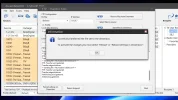
^^^ thanks for reply, do you succeed in deleting in Blackhole? Have tried with Dreamset & Dreamboxedit, deleting channels, update the box, all fine, restart, but channels still showing in the box.

Making bouquets and everything else is fine. Where the h..l is Blackhole reading it's channel list from?
 

Attachments

  • dredit.webp
    dredit.webp
    107.9 KB · Views: 12
No problems here, but I'm using dreamboxedit v6.0.2.0.
I just delete the unwanted channels, by using the select, delete, method, similar to Excel documents.
Make sure you use the Delete Services option and not just delete from Bouquets.
Once done I save the amended file then FTP to my receiver.
In reality it doesn't matter, as unlike other receivers there doesn't seem to be a limit on how many channels can be stored.
 
Got mine but have a small issue with the remote. The "up" button on the carousel button has no feel to it - there's no "click" like on the rest of them and is very sensitive. It activates just by me resting my thumb on it. Hmm..

Contacted WOS, so we'll see what they say.
 
No problems here, but I'm using dreamboxedit v6.0.2.0.
Thanks, but still no luck with the delete in v6.0.2.0 either. FTP works fine, no errors, can add\remove stuff from bouquets etc.

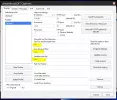
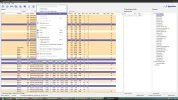
Which version of Blackhole do you use ? And could you do a snip of your paths settings in the editor (*** in the picture), in case I got some paths wrong and edit some duplicate files...
 

Attachments

  • upload_2016-2-20_17-44-1.webp
    upload_2016-2-20_17-44-1.webp
    39 KB · Views: 14
The "up" button on the carousel button has no feel to it - there's no "click" like on the rest of them and is very sensitive. It activates just by me resting my thumb on it.
Similar here, but thought that was due to former use (sh box here). No problem, got used to it by now.
 
No problem, I also use it to change some Data channels to TV.
For some reason a few channels scan in as Data but are in reality TV channels, and only viewable once they've been converted.
Dreamboxedit 1.webp
Dreamboxedit 2..webp
 
^^^ thanks, but could you show the paths in the" dreamboxedit options" windows, would be very nice to check if I've got the paths right.

But googling around a little, many posts like this pop up Delete/Remove channel | VuPlus Community , also read somewhere "db is merged in the image"...
Am I trying for the impossible in Blackhole :O)

About the channel clean up, not crucial, just and old habit of removing any useless trash residues from scans, there's 100's of entries here that can go.
 
Try deleting the channels, using Dreamboxedit, then saving the amended file.
Next close down dreamboxedit, open it again, open the saved file, from the settings folder, and check if the channels are deleted.
The last time I used dreamboxedit was to send my saved, amended, file to my receiver, after loading the latest Black Hole, therefore it was a clean install and the amended channel list worked.
This file also had all the necessary data channels changed to TV.
 
Thanks for your time, have tried all & more apart from fresh install (that's for later), whatever is tried the edited lamedb on the pc does never stick, receiver does not bulge from keeping it's original blindscan results in 'All' and individual sat lists. And from the posts found on other forums that may be a feature, not an error.

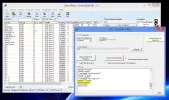
I believe ftp paths here are correct, otherwise it would probably have been impossible to load\construct\edit\transfer favorites\bouquets. Whatever, must let the case (my head :O) rest ftm, in the prosess have learned a lot about settings, backup\restore and use of the ch editors (which works perfect for favorites\bouquets), see attachment.

And the solo2 is ticking along happily.
 

Attachments

  • success.webp
    success.webp
    77 KB · Views: 11
Time to leave the dark side Luke. Look into the looking glass and another image will appear!
 
Never used the blind scan, I always manually scan in the transponders, I want, then use dreamboxedit to amend/save my channel list for when I need it, occasionally updating it, when channels change.
Apart from when having to alter the data scanned in channels, to TV, usually the select, or pay per view channels.
I haven't had to use dreamboxedit on the latest Black Hole, 3.0.1F, only on the earlier 2.?? versions, and it always worked then.
Might try it tomorrow, just to see if it still works.
How many channels are you trying to delete?
 
The problem you are having is that every time you download the bouquets from the Solo2 and edit them and the re-upload your not ticking the 'remove unused bouquets from dreambox' so the original bouquets are staying in place. You also then need to restart enigma2 for any changes to take affect
 
Thanks for replies.

How many channels are you trying to delete?
well, after a blind scan, many.... :O)

The problem you are having is that every time you download the bouquets from the Solo2 and edit them and the re-upload your not ticking the 'remove unused bouquets from dreambox' so the original bouquets are staying in place. You also then need to restart enigma2 for any changes to take affect

I think I've tried all those possibilities, but may have missed some in the confusion, what is for sure is in BH there is no 'delete' in the 'all' menu for a selected channel.

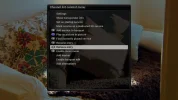
But am learning (Barcelona), have managed to backup (and test restore) the BH image, and then went on to install Openvix. Miraculously, got it right. Forgiving box this vu and it's software! After scanning in a few transponders, first thing I looked for was edit channels, and loandbehold, menu got 'remove entry' and lots more. So now I can get rid of 19.2's 'Sexy frauen uber 80' lol directly on the box. Will try editors later.
 

Attachments

  • ov.webp
    ov.webp
    40.7 KB · Views: 16
  • rem.webp
    rem.webp
    46.9 KB · Views: 17
Oh, no. You're not going to whip out your Light Saber (sic), are you?
 
Gongrats on Solo2, I hope you make the most of this box! Concerning the readings in db you asked above, I may disappoint you but Vu receivers are the worst choice for Feedhunters/satlovers in that department. With Blackhole team manipulating the manufacturer, the Koreans were never pressured to write drivers for the tuners that return correct readings in db, only percentages that also tend to maximize quite easily. There is no way you will not see a 99% SNR on every powerful satellite you receive on most transponders because this is exactly what the tuners driver returns to the user. Blackhole never minded, although many users complained, they thought it was a reduntant feature. Only on openPLI based images there has been some effort for the receiver to read snr in db, however since this is also based in a rough calculation of the percentage to decibel, it can be as reliable as it could, if you can take into account how accurate the percentages can be (with this limitation VuSolo2 stops at 17db, no more)!
Long story short, you can never trust a Vu receiver's signal info! However in every other aspect this receiver is absolutely amazing, fast and stable with lots of features. I would say it's ideal for a user who simply wants to watch TV/IPTV, stream, record and make the most of what enigma2 has to offer, especially in cases where the user has a specific satellite setup (like multifeed with a small dish/dishes) and is aware of what they expect to receive within it!
 
Back
Top