VMA Stream Reader

You need to understand how this works and accept that it doesn't do miracles:

It looks at the spectrum curve and determines the "spikes" by first averaging the curve to remove noise. Then it checks any spike greater than the delta value relative to its neighboring samples. Finally it filters any "spike" found that has a width which is less than the specified bandwidth. Now it does a blind scan on the determined frequency.

The aim is not to find transponders which a "brute-force" blind scan (which checks every frequency from start to end with a given step) doesn't find. Instead, the algorithm tries to do it much faster by finding all transponders by just "looking" at them, selecting each and only do a blind scan on those.

Next I want to allow scanning all selected satellites on the selected polarities. The main issue is I don't know how long to wait for DiSEqC to finish rotating a dish (or whatever). Perhaps I will start by replacing the existing implementation and make it do auto scan for selected polarities on the current satellite. This will repeat the spectrum scan, in case it was already done, but on the other hand it will find (almost) all transponders of the entire satellite, thus creating complete *.ini files.

I have ideas on how to do an in between algorithm: filter out all frequencies below a given threshold and only do a brute-force blind scan on the remaining frequencies, with a given step size, which should speed up the blind scan on exotic satellites (but would take the same time on satellites like 19.2E, 13.0E, etc., since all frequencies are used by transponders).

As you guys understand all of this is a lot of work. When I get enthusiastic, I end up not sleeping to implement everything as fast as possible, but after some time I need to stop, to recover myself and get a grip for everything else happening around me.
 
It's just my opinion, but I don't think it's necessary to associate the antenna rotation with the blind scan of a satellite. All the Dxers I know separate the antenna rotation from the blind scan. Of course, these are people looking for frequencies or difficult reception, so each operation is separate from the other.
I don't think that this is one of the first things you need to do to further improve your program.
It is possible that this is important for companies or organisations that use this program automatically without human intervention.
 
You need to understand how this works and accept that it doesn't do miracles:

It looks at the spectrum curve and determines the "spikes" by first averaging the curve to remove noise. Then it checks any spike greater than the delta value relative to its neighboring samples. Finally it filters any "spike" found that has a width which is less than the specified bandwidth. Now it does a blind scan on the determined frequency.

The aim is not to find transponders which a "brute-force" blind scan (which checks every frequency from start to end with a given step) doesn't find. Instead, the algorithm tries to do it much faster by finding all transponders by just "looking" at them, selecting each and only do a blind scan on those.
Yes I understand now. Sorry but I read this answer just after sending you my latest direct message. All clear now. Thanks.
 
This combination of raw commands works with my Diseqc switch:
Code:
Committed lnb1 raw command E0 10 38 F0 
Committed lnb2 raw command E0 10 38 F4 
Committed lnb3 raw command E0 10 38 F8 
Committed lnb4 raw command E0 10 38 FC

Thinking further: for LNBs and Multiswiches that react (also) to Diseqc 1.0, I think also band and polarity must be incorporated in the E0 10 38 Fx command. So just position an option as variables is not enough.
If I hear otherwise, I'll report back (I asked/checked in another forum).

Greetz,
A33
 
DiSEqC-1.0 should only be E0 10 38 Fx, where x is 0, 1, 2, or 3

I think that some DiSEqC-Switches are in fact "special", as they do not comply with the DiSEqC norm and extend it.

Band and Polarity can be incorporated into a DiSEqC-1.1 command, so that the 4 bytes not only set the DiSEqC port, but also the band and polarity.

Correct me if I am wrong, this is all a bit new to me at this level.
 
DiSEqC-1.0 should only be E0 10 38 Fx, where x is 0, 1, 2, or 3

I think that some DiSEqC-Switches are in fact "special", as they do not comply with the DiSEqC norm and extend it.

Band and Polarity can be incorporated into a DiSEqC-1.1 command, so that the 4 bytes not only set the DiSEqC port, but also the band and polarity.

Correct me if I am wrong, this is all a bit new to me at this level.

Well, for someone new at this, you certainly have a way of stating your opinions about it.

your statement 1: incorrect.

your statement 2: I wouldn't know to what you are referring.
For diseqc 1.0 or 1.1 switches (or even for diseqc 1.2 switches) I have never seen real irregularities, as far as I can remember.

your statement 3: incorrect.

I've lost the motivation to correct you further regarding diseqc, at this moment. When you choose or chose not to believe what I write or wrote, you are and were fully in your right.

Greetz,
A33
 
For DiSEqC 1.0, the commands are as follows:

Port A or 1
E0 10 38 F0 = Committed - Option A, Satellite A, Polarity V, Band Low
E0 10 38 F1 = Committed - Option A, Satellite A, Polarity V, Band Hight
E0 10 38 F2 = Committed - Option A, Satellite A, Polarity H, Band Low
E0 10 38 F3 = Committed - Option A, Satellite A, Polarity H, Band Hight

Port B or 2
E0 10 38 F4 = Committed - Option A, Satellite B, Polarity V, Band Low
E0 10 38 F5 = Committed - Option A, Satellite B, Polarity V, Band Hight
E0 10 38 F6 = Committed - Option A, Satellite B, Polarity H, Band Low
E0 10 38 F7 = Committed - Option A, Satellite B, Polarity H, Band Hight

Port C or 3
E0 10 38 F8 = Committed - Option B, Satellite A, Polarity V, Band Low
E0 10 38 F9 = Committed - Option B, Satellite A, Polarity V, Band Hight
E0 10 38 FA = Committed - Option B, Satellite A, Polarity H, Band Low
E0 10 38 FB = Committed - Option B, Satellite A, Polarity H, Band Hight

Port D or 4
E0 10 38 FC = Committed - Option B, Satellite B, Polarity V, Band Low
E0 10 38 FD = Committed - Option B, Satellite B, Polarity V, Band Hight
E0 10 38 FE = Committed - Option B, Satellite B, Polarity H, Band Low
E0 10 38 FF = Committed - Option B, Satellite B, Polarity H, Band Hight
 
The DiSEqC 1.0 list Marcus_21 provided is correct.
I own an instrument that can read and parse these.

here is an example with some random commands (VU+):
diseqc.webp
 
Thank you all for your patience – I’ve finally think I understood how DiSEqC-1.0/1.1 work and implemented it. I got it working for my test setup:
I retrieved my Spaun DiSEqC Monitor (dual‑LNB, with built‑in DiSEqC 1.0 for ports 1 and 2) and a Spaun SAR 411 F multiswitch and did some tests.

After poring over the notoriously concise official specs, I discovered the source of my confusion: although the DiSEqC 1.0 standard shows the four least significant bits of the data byte encoding polarity (vertical/horizontal) and band (low/high), virtually all 4‑port switches ignore those bits and use only bits 2–3 to select ports 1–4.

In practice, the only valid committed‑switch frames are:
E0 10 38 F0 → Port 1
E0 10 38 F4 → Port 2
E0 10 38 F8 → Port 3
E0 10 38 FC → Port 4

If you do need to combine port‑selection with H/V or 0 kHz/22 kHz tone commands, you still control polarity via 13 V/18 V and band via 0 kHz/22 kHz tone—not by tweaking those port‑select frames.

It is possible to control every aspect of LNB - polarity, band and port - entirely by DiSEqC frames. The confusion I had comes because most simple 4‑way switches ignore anything beyond the port‑select bits, so in practice we still fall back on 13 V/18 V and 0 kHz/22 kHz tone for V/H and low/high band.

The full DiSEqC 1.0/1.1 spec does define dedicated commands for voltage and tone so you never have to toggle the supply or tone generator separately. In other words, if your hardware honours these, you can indeed do everything via DiSEqC.

For example (as already stated):

Port A or 1
E0 10 38 F0 = Committed - Option A, Satellite A, Polarity V, Band Low
E0 10 38 F1 = Committed - Option A, Satellite A, Polarity V, Band High
E0 10 38 F2 = Committed - Option A, Satellite A, Polarity H, Band Low
E0 10 38 F3 = Committed - Option A, Satellite A, Polarity H, Band High

With DiSEqC 1.1 (the “uncommitted” mode), you simply extend to 16 outputs by OR‑ing the group number (0–3) into the address byte:
Byte 3 = 0x38 | group # group = floor((port – 1)/4) → 0x38, 0x39, 0x3A or 0x3B
Byte 4 = 0xF0 | ((port – 1) mod 4 << 2)

Here is a link to the official Eutelsat specifications for DiSEqC: Eutelsat Technical Support | Teleports | Tools & Resources

Attached is a document by Spaun, which is an interesting read.

The only remaining questions I have is:

1) Will committed switches who accept polarity and band selection via data bytes, work fine with frames that do not send this selection? In other words, are there setups, where polarity and band signals (14/18V, 0/22kHz) are not being passed on by the switch configuration and afterwards generated by the switch for the respective LNB ?
2) Will switches that only allow port selection accept the polarity and band settings? I.e. will they accept F0, F1, F2 and F3 to set port 1?
3) How important is it to implement full DiSEqC frames with polarity and band settings (currently I am leaving these bits at zero)?
 

Attachments

Last edited:
I tried the new version and all seems to work fine:
DiSEqC -> NOK i'll explain later...
Spectrum Scan ->ok
Auto B/S -> OK (it finds almost all the TP)
Launching TS Analizer ->OK
Vma Mosaic -> OK

For the DiSEqC:
the first time i run the program i get this error
Screenshot 2025-07-18 170604.webp

but if i delete the setting and i re-insert it all works fine.
I have to use "raw Command" to make my system work.

Bye,
John
 
Sorry, I have not uploaded the last version with the corrections!
You are using the old version. I will upload a new version - note that this will be on my website (VMA Broadcast).
I think the error is because your saved settings had a DiSEqC option which was renamed. Anyway I need to filter bad config files.

By the way: config files are store in %appdata%\VMA Stream Reader
 
The last two bits (Polarity and Band) are for SMATV, switches ignore them.

The first four bits of the last byte are for enabling Option, Satellite, Polarity, and Band, they are always set to 1 (this determines the first nibble at Fx).
 
New version of VMA Stream Reader on my website: Download – VMA Broadcast

It is now part of the VMA Video Analyser package - no license required for VMA Stream Reader and VMA UDP Splitter (light) with VMA Mosaic (light).

Note: I published this now at 17h55 CET. I you downloaded and installed this file before, do it again. You no longer need to uninstall the current version first. This has been fixed, too.

What's new:
DiSEqC should now be OK.
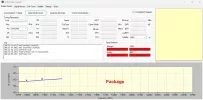
Added a Signal Monitor tab:

1752858475094.webp

This tab still needs improvements.
 
Good morning .
vma streamreader in package does not work with DiSEqC 1.1 ( just like at the beginning )
old vma streamreader from the day before yesterday ( alone not in package ) works fine.
vmastreamreader in vmavideoanalyser geht nicht.webpsteamreader vma allein OK.webp
 
Please download the new package from today.
I will double check later.
 
unfortunately still the same problem with the July 19 version
19 07 25 geht auch nicht-vert.webp
 
Back
Top