
A
Archive-8
Guest
To upgrade, first modify the file sudo nano /etc/apt/sources.list via Terminal or ssh.
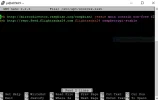
change every occurrence of the word jessie to stretch
Ctrl + x and y to save.
then run
sudo apt-get update
Followed by
sudo apt-get -y dist-upgrade
thats it.
Just don’t overwrite any config files!
change every occurrence of the word jessie to stretch
Ctrl + x and y to save.
then run
sudo apt-get update
Followed by
sudo apt-get -y dist-upgrade
thats it.
Just don’t overwrite any config files!