Servo skew

Anto if I understand well:
1) +5 Red > first power terminal block
2) GND braun > second power terminal block
3) Pulse orange > SK fourth command terminal block
 
Anto if I understand well:
1) +5 Red > first power terminal block
2) GND braun > second power terminal block
3) Pulse orange > SK fourth command terminal block
Exactly
 
I made a test with new connection but the servos don’t move.
 
Did you change the checkbox from universal to polarotor with dial?
Try one motor at a time
 
Did you change the checkbox from universal to polarotor with dial?
Try one motor at a time
Yes I change to polarotor with dial8a4 but nothing yet
 
dont do that !
power connector is for actuators +-36V
on same connector + and - are non connected or if they are it s for egis motor (24V or 36V)
you are going to burn your motors .
the good way is like your picture yoghy !
the 3 wires on command connector !!!!!!!!!!!!!!!
 
dont do that !
power connector is for actuators +-36V
on same connector + and - are non connected or if they are it s for egis motor (24V or 36V)
you are going to burn your motors .
the good way is like your picture yoghy !
the 3 wires on command connector !!!!!!!!!!!!!!!
Ok I made the test but not with the actuators wires connected.
 
anto dont have the same rear connectors as you !!!!
your picture is good way .

i have to update my old software and i ll test it with polarotor tomorow and i ll give you news !
 
Ok Patrick thank you a lot!!
How can I make a back up of my satellites of my posi ? If I dump the memory and save a csv of my sat positions the data aren’t readable there are strange caracters. Before load the new sw I want to do a back up.
 
Yes I change to polarotor with dial8a4 but nothing yet
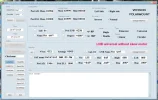
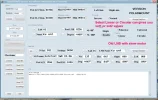
With Dial8a4 you have to read with "Dump Memory", select "Polarotor", save with "Change Data Position" and write to the memory with "Prog Memory", otherwise it always remains set to "Universal"; is that how you do it?Doing this works for me, with your same servomotor.
 

Attachments

  • PXL_20250713_220554581.webp
    PXL_20250713_220554581.webp
    60.9 KB · Views: 31
I'll try to describe how polarotors work and how I managed them in my POSI.
The first configuration that existed was the Chaparral-type polarotor.
A servo motor rotates an antenna in front of an LNB that only receives one polarity.
My POSI (configured in polarotor mode) applies two SKEW output values depending on the 14 or 18V voltage.
This arrangement is suitable when using an older LNB and a real polarotor.

Nowadays, we use "universal" LNBs that receive both H and V or R and L polarities.This is true in KU or C bands; you may wish to slightly adjust the position for certain satellites or shift it more significantly, as with an EGIS motor or an AZ-EL mount.
In this case, only one adjustment is necessary to rotate the LNB, with polarity selection being achieved by the 14/18V.
This is the case with the model manufactured by my friend TRUST.
Initially, I disabled the sending of pulses when selecting "Universal" and confirmed this sending by selecting "Polarotor."
In my recent version, I send a single value in "Universal" mode regardless of the 14/18V value, and always send two values in "Polarotor" mode.
In addition, I store two values for linear polar and two others for circular polar on the same SAT.
Each SAT has its own four values.
In "Polarotor" mode, during settings or for verification, it is possible to test the other position by pressing the "OPT" button on the remote control.

 
I updated the firmware with 3 modes for Polarotor.
1- Fixed setting at 0° (motor without tilt)
reg1.webp
2- Offset adjustment (motor + KU or C universal head)

reg0.webp
3- Individual adjustment of H and V or R and L (old head)
reg2.webp
 
to set these settings you need my dial8 software updated .
dial8aA for classic mount , dial8bA for EGIS motor
 

Attachments

Back
Top